
01
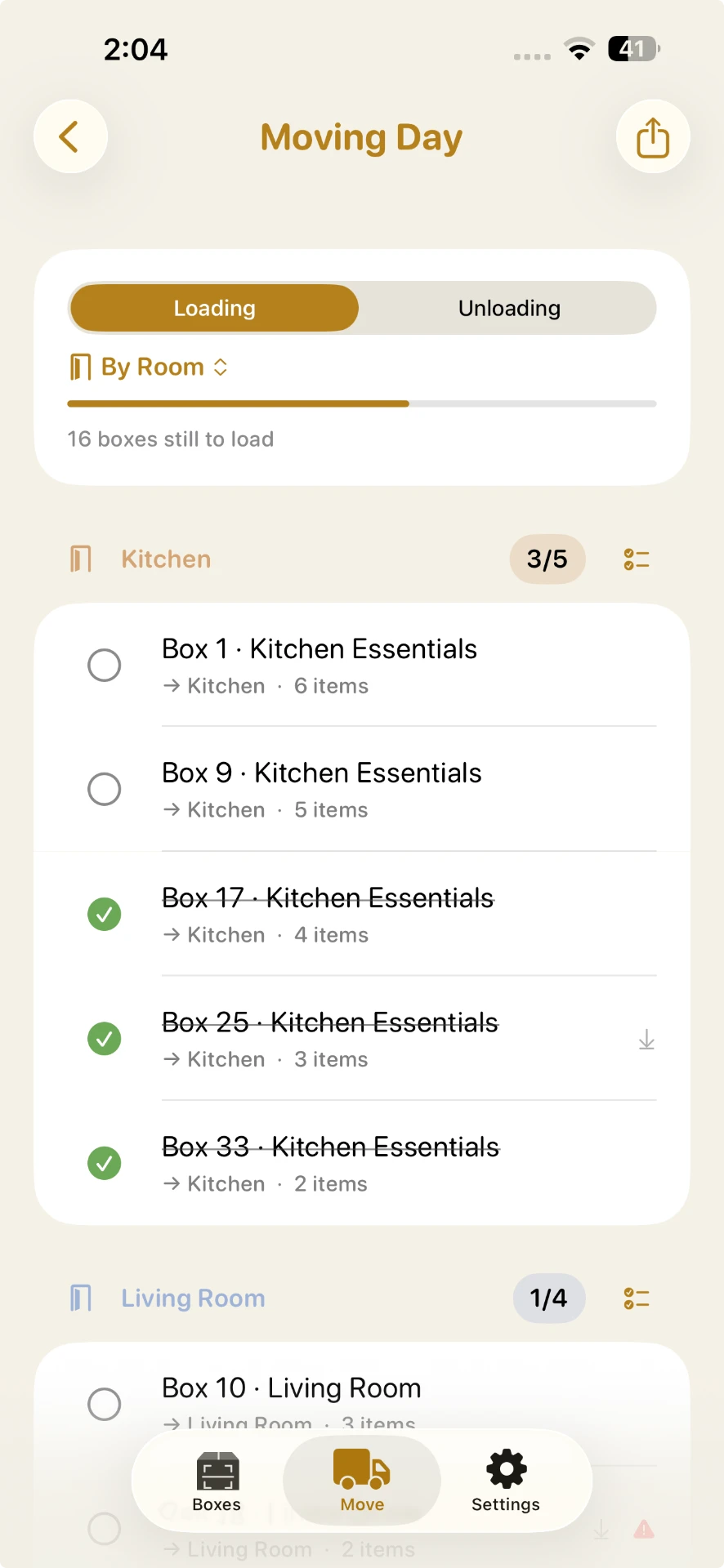
Moving Day Manifest.
Load it, check it off, unload it, check it off again — arranged by what needs to come off first.
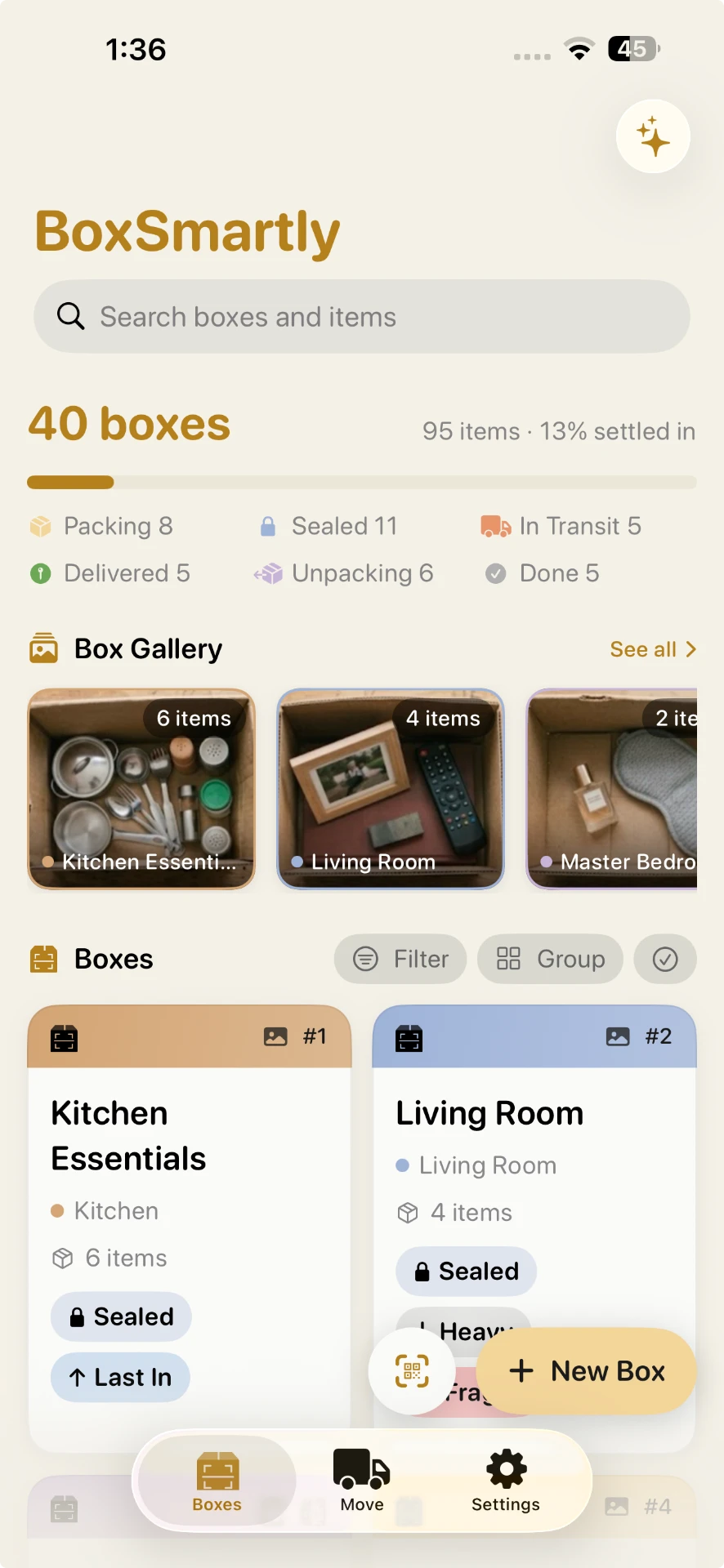
Label every moving box, then scan or search to find anything you packed in seconds.
Cardboard boxes, plastic totes, storage bins, rented moving crates — if you can label it, you can find it.
Free to start · One-time upgrade · Core features work offline · No account needed
BoxSmartly is the moving box inventory app that labels every packing box — a QR sheet, your own stickers, or a hand-written code — so you never dig through a wall of taped-up boxes again.
How it works
Three simple steps. No account, no setup, no learning curve.
Add a box, tote or bin and list what goes inside. Type it, or tap the mic and speak.
Print a QR sheet, use your own stickers, scan a blank label to claim it, or skip printing and write your own code on the box.
On moving day, scan a box to see what's inside — or search every box for one thing.
Smart features
Snap a photo of a packed box, get a packing tip on any item, or start from what people usually pack in a room — BoxSmartly proposes it, you approve before anything's added. On supported devices with Apple Intelligence, add a whole box by speaking one sentence. All included in Pro, no extra cost.
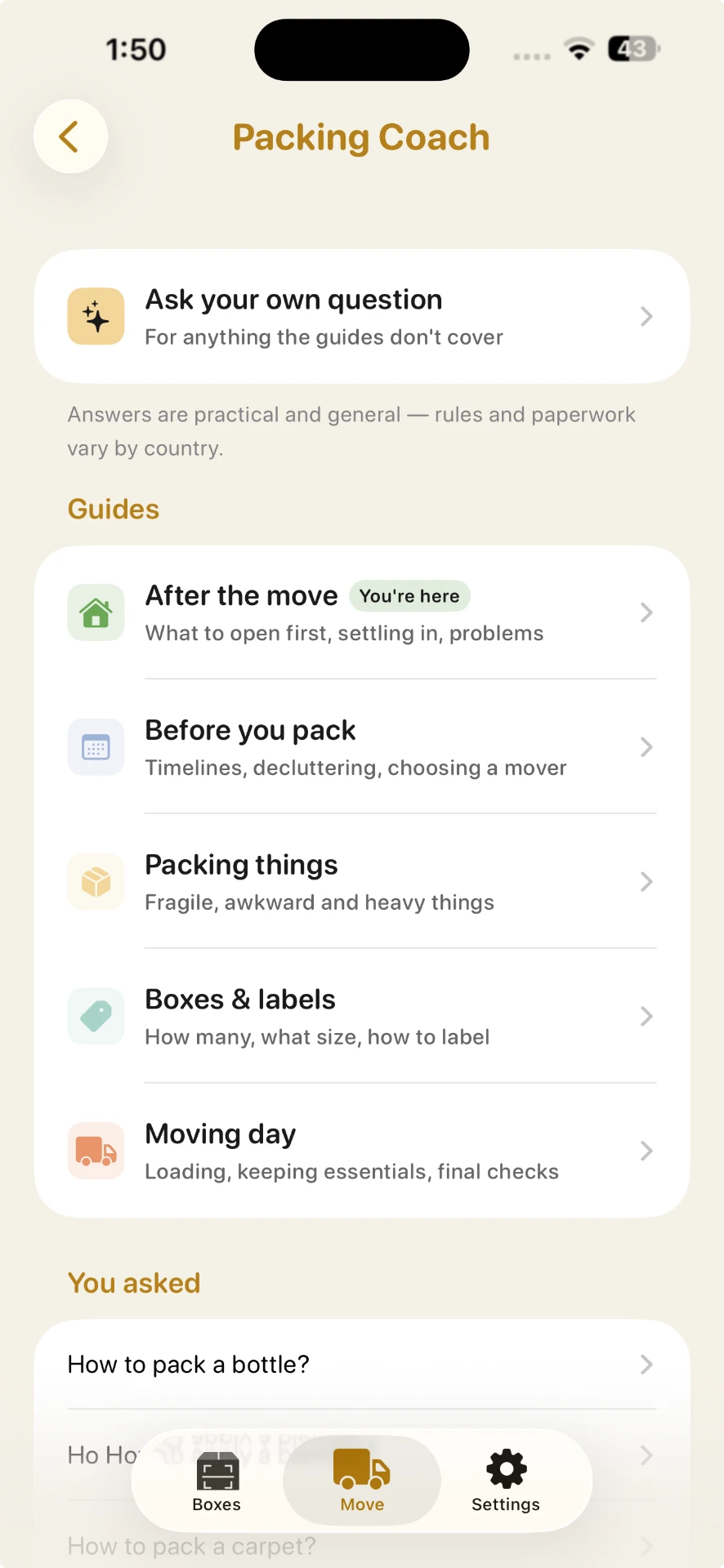
Ask a real packing question and get an answer — from a curated library that works for every Pro user, or generated for you on supported devices.
Features
Small details that make packing (and unpacking) feel calm.
01
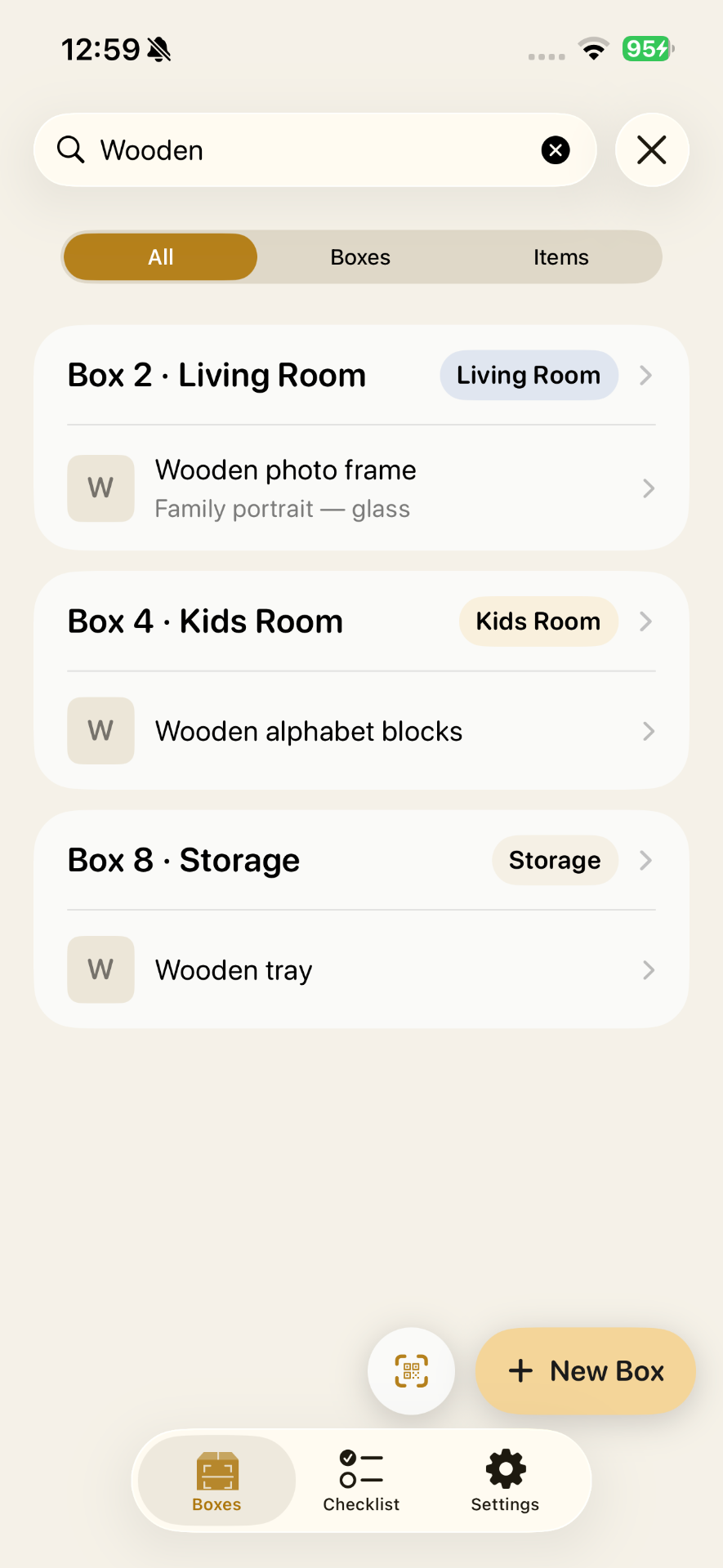
Search every box by item, name, room, or tag. Type 'passports' and see exactly which box.
02
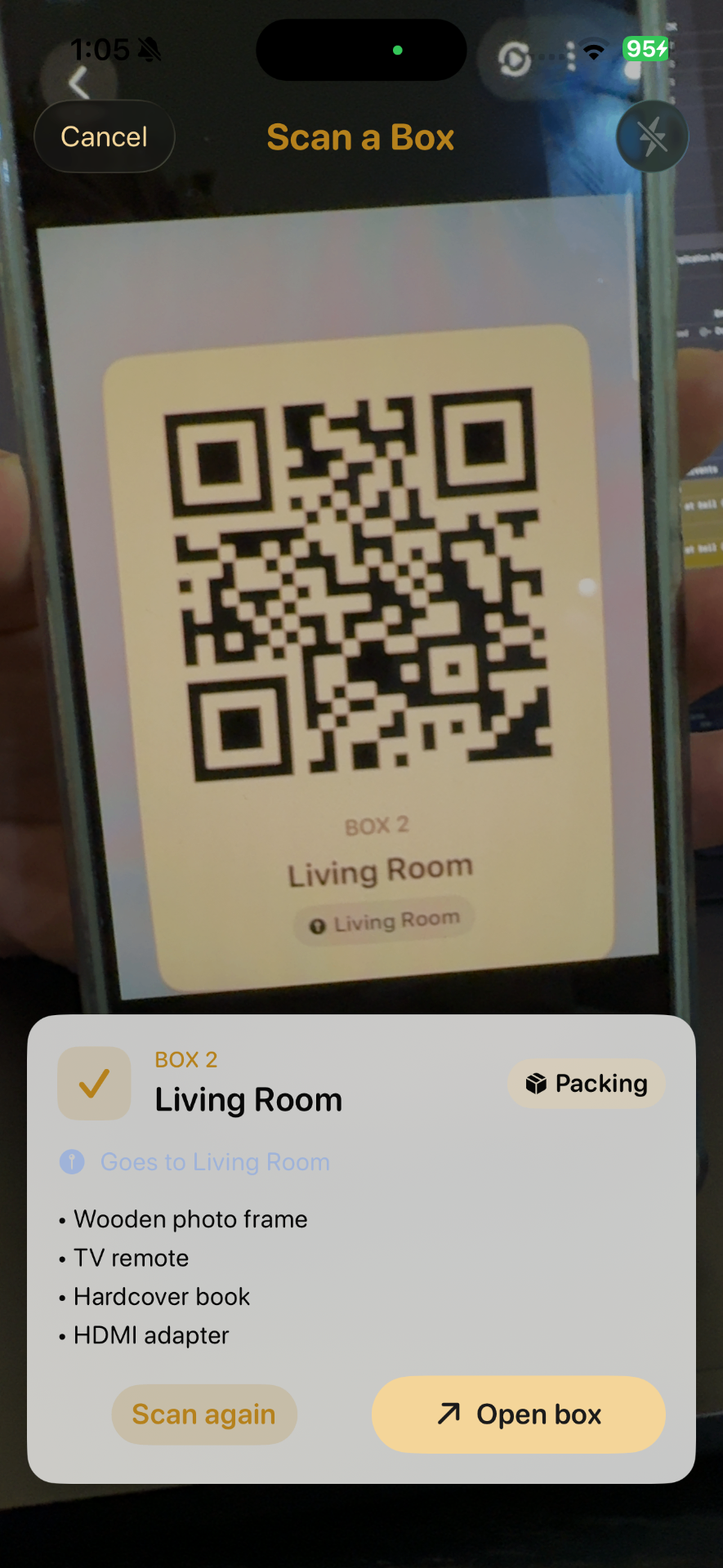
Point your camera at a QR label and instantly see what's packed — no unpacking to check.
03
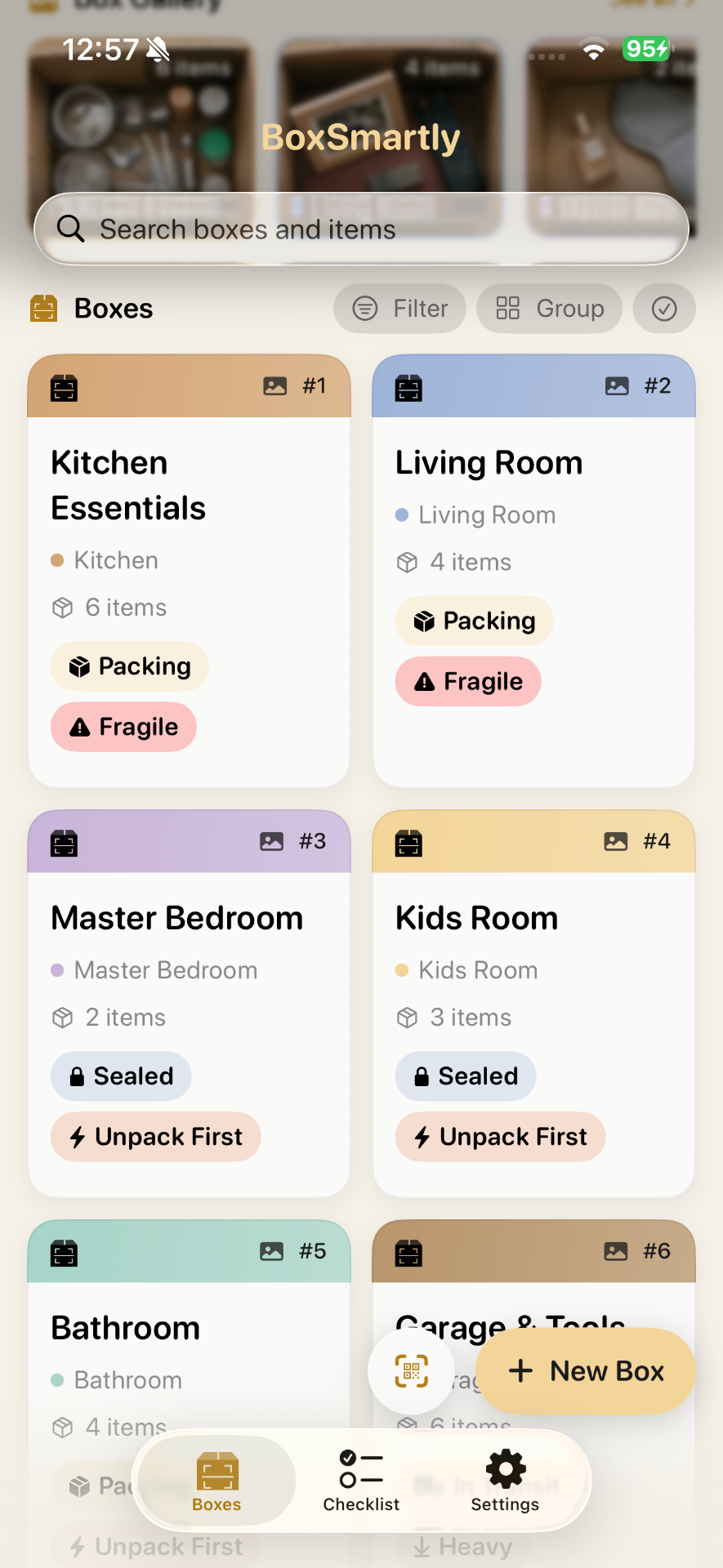
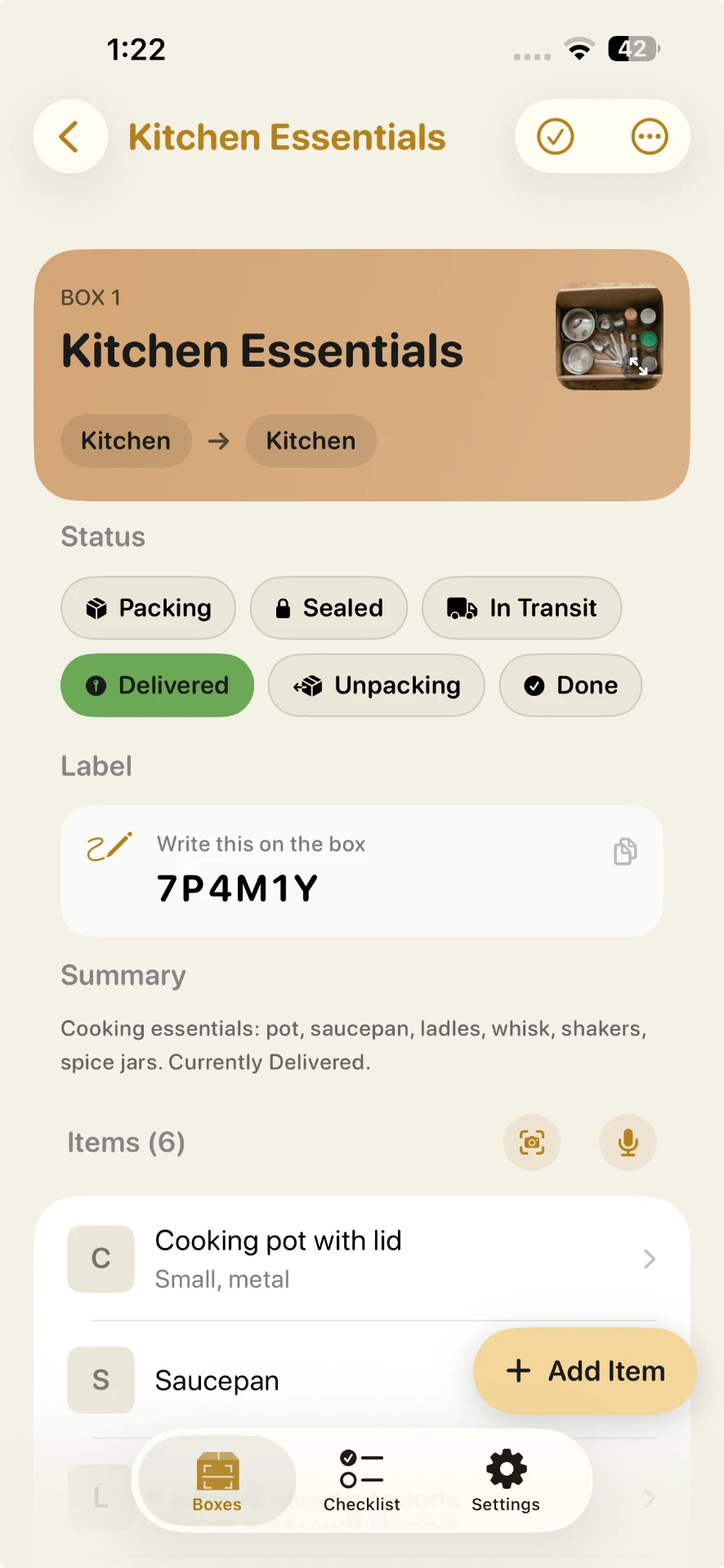
A room-coded dashboard with status from Packing to Delivered. Nothing left behind.
04
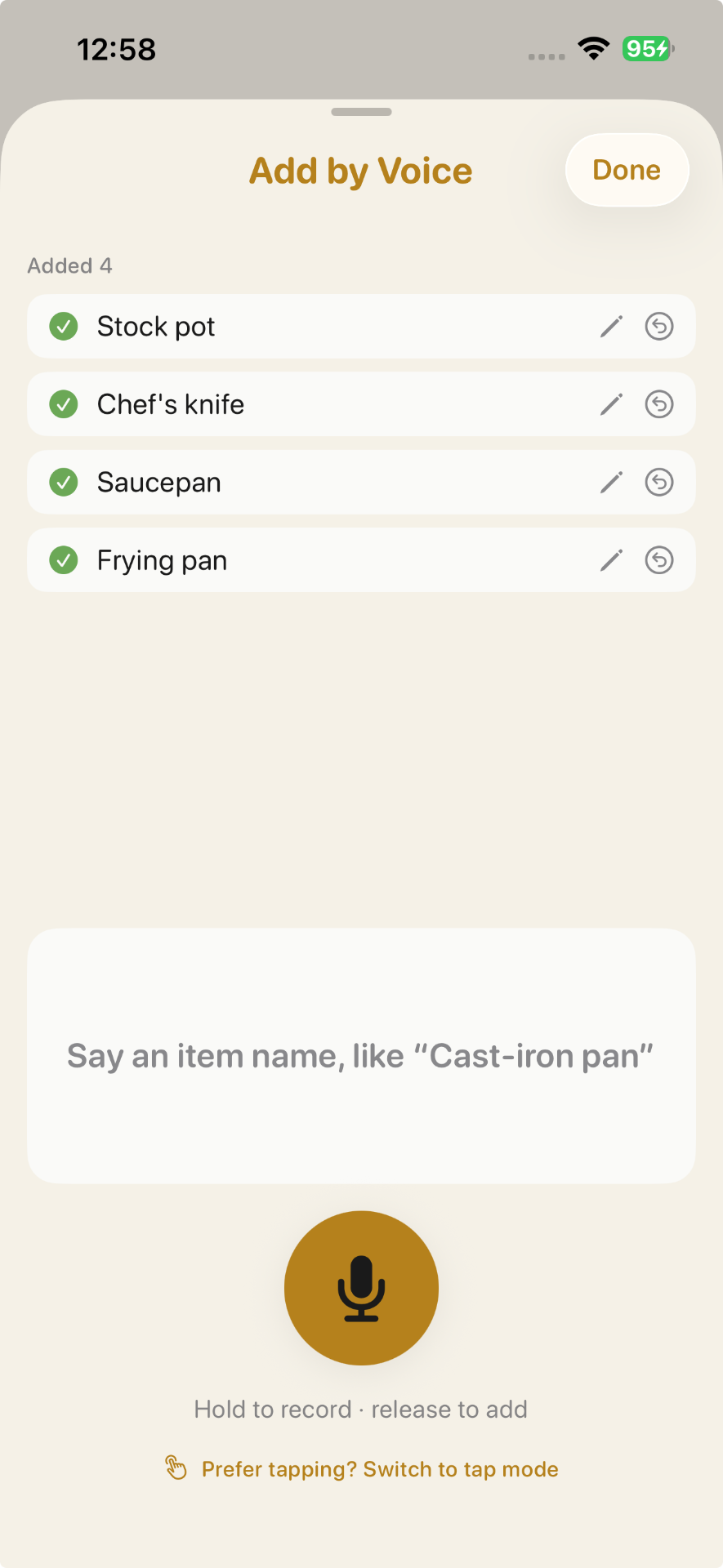
Hands full? Add items with on-device dictation — no typing, no accounts.
05
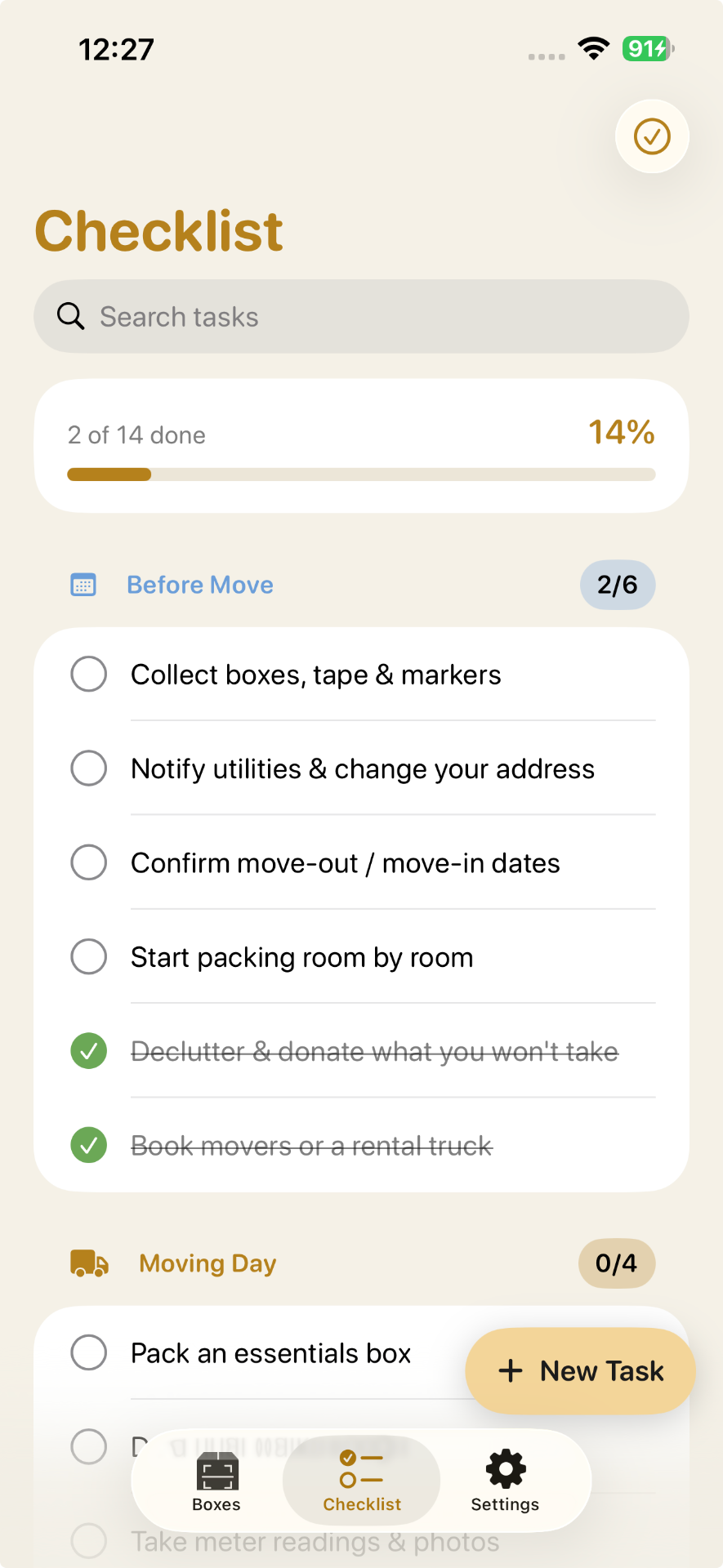
A built-in checklist walks you from Before Move through Moving Day to Settle In — so nothing important slips.
06
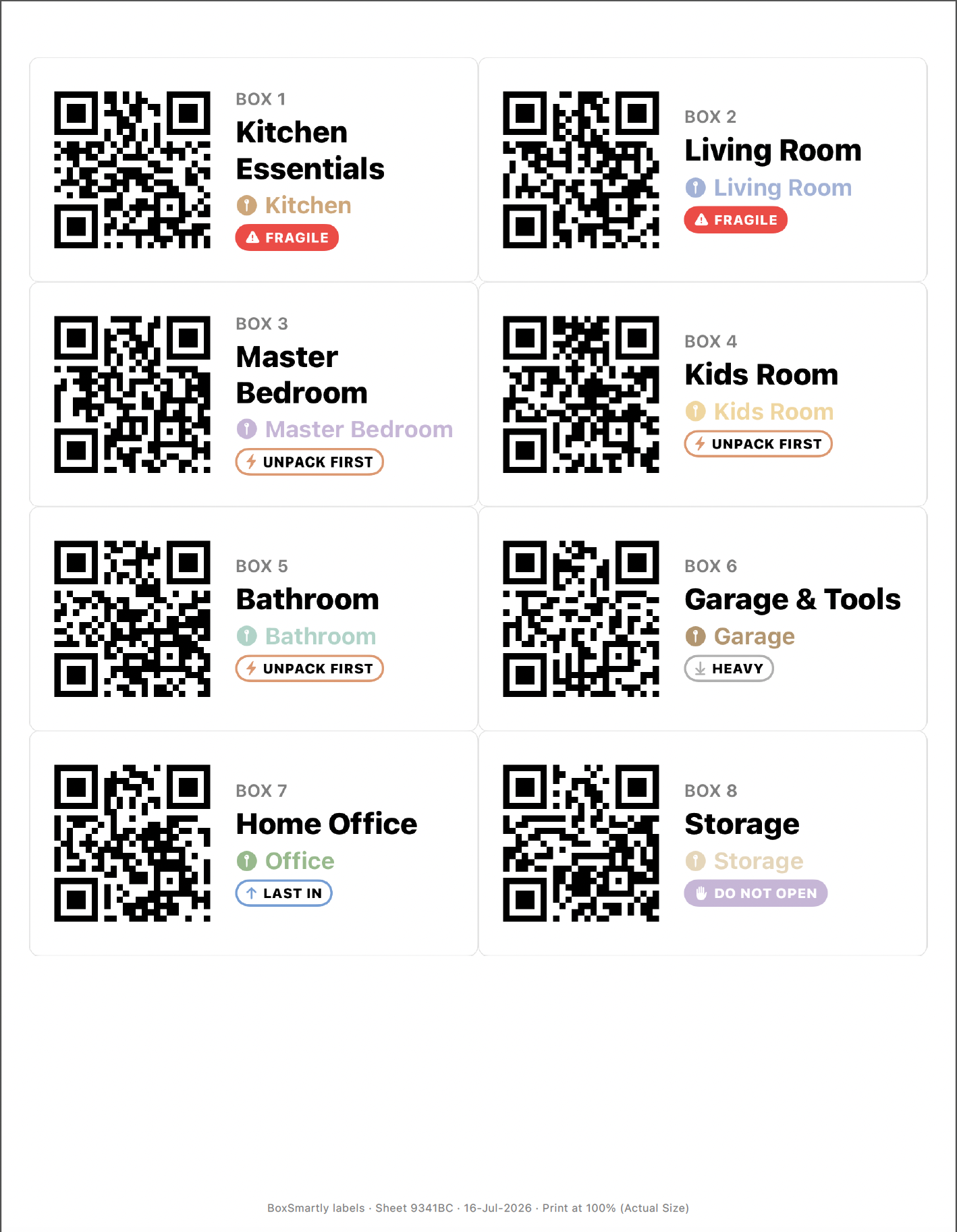
Three free ways to print or pair a QR label: detailed labels (Avery 5163), blank claim sheets (Avery 5160), or pair your own stickers.
07
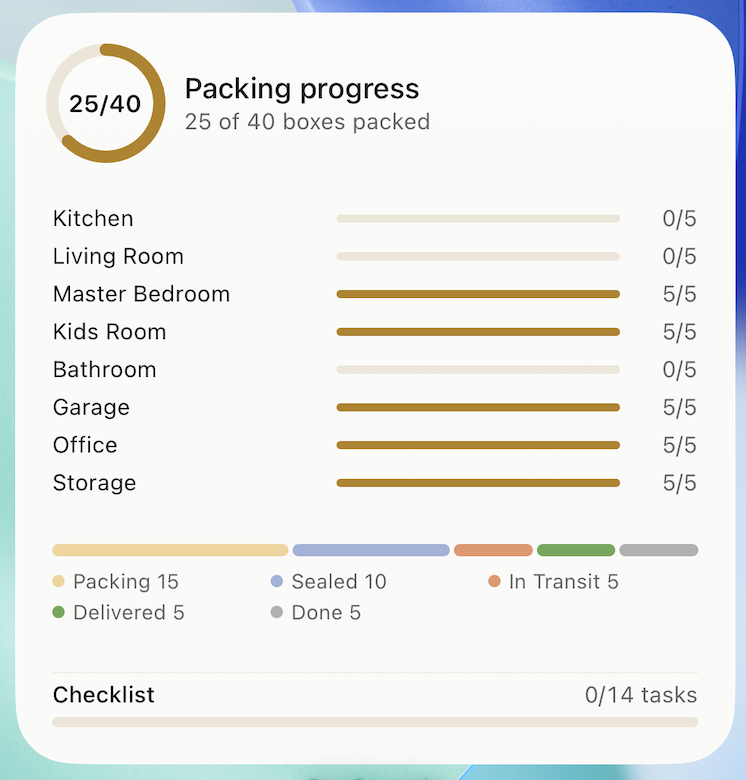
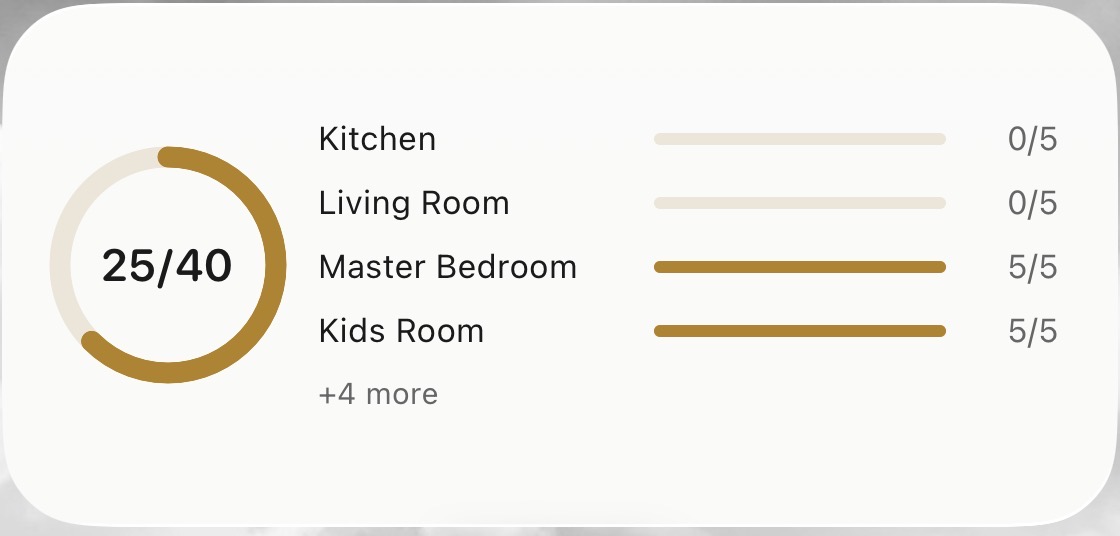
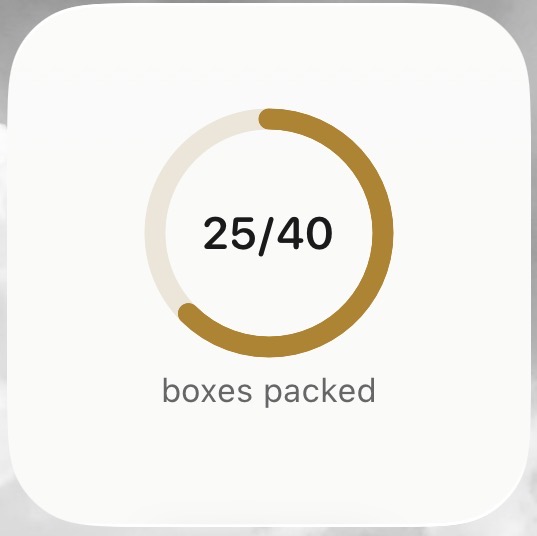
Add the BoxSmartly widget to see how many boxes are packed without opening the app — Home Screen and Lock Screen, always current.
08
No printer, no scanner, no stickers — BoxSmartly generates a short code for the box, you write it on by hand, and type it back in later to find what's inside.
Move smarter
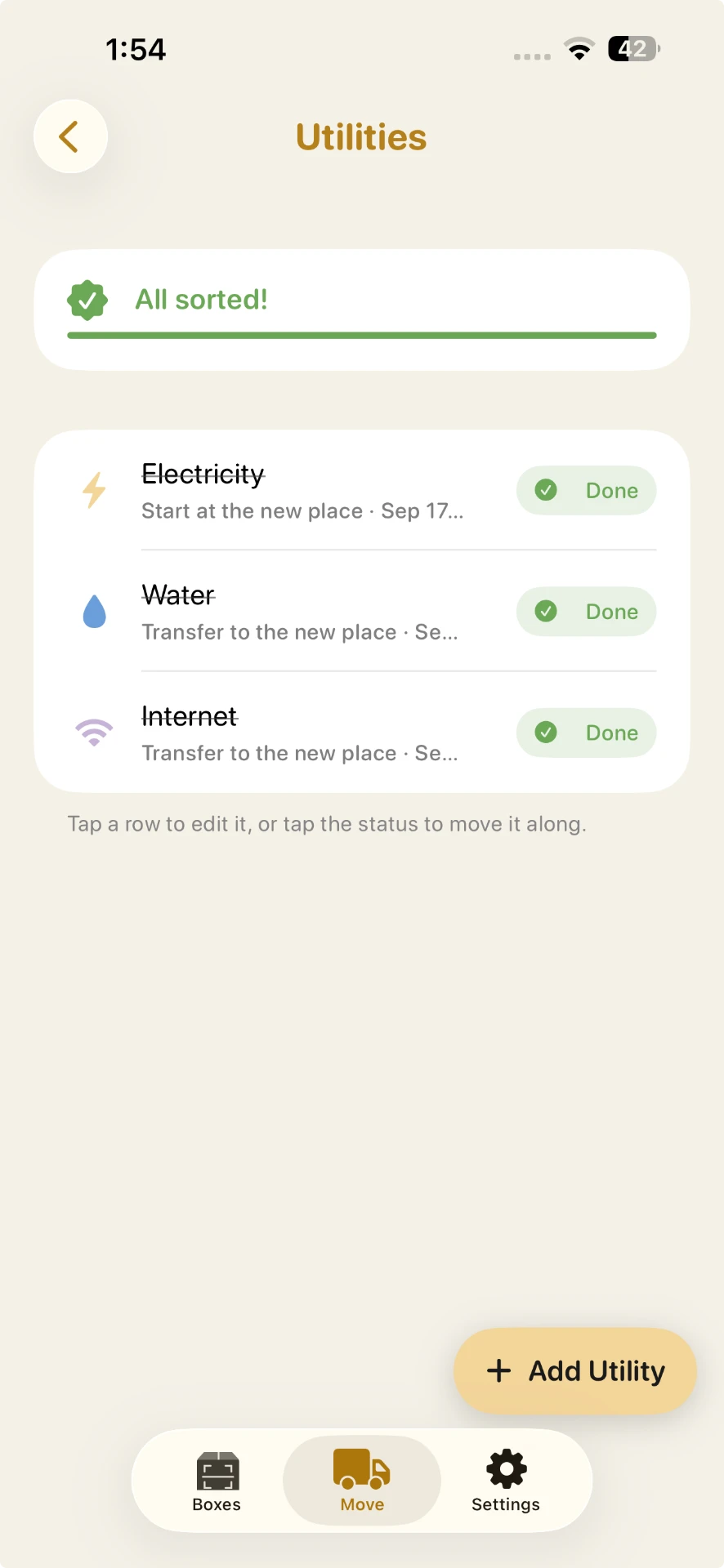
A manifest so nothing gets left on the truck, a tracker for every utility you need to switch over, and a place for what has to ride with you instead. The Manifest and Utility Tracker are included in Pro. Keep With Me is free.
01
Load it, check it off, unload it, check it off again — arranged by what needs to come off first.
02
Every utility you need to start, stop, or transfer, with a reminder on the day it's due.
03
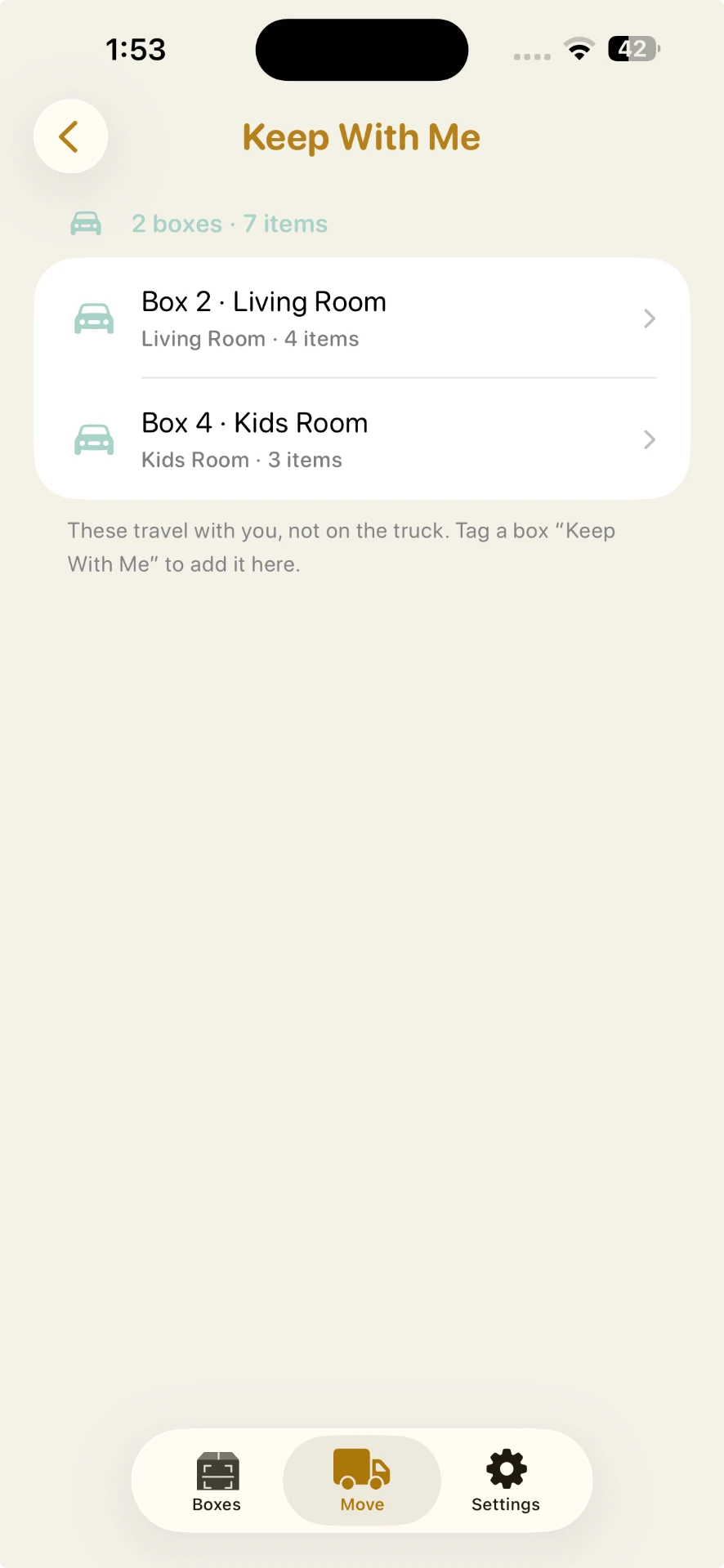
A free list for what travels with you, not the truck.
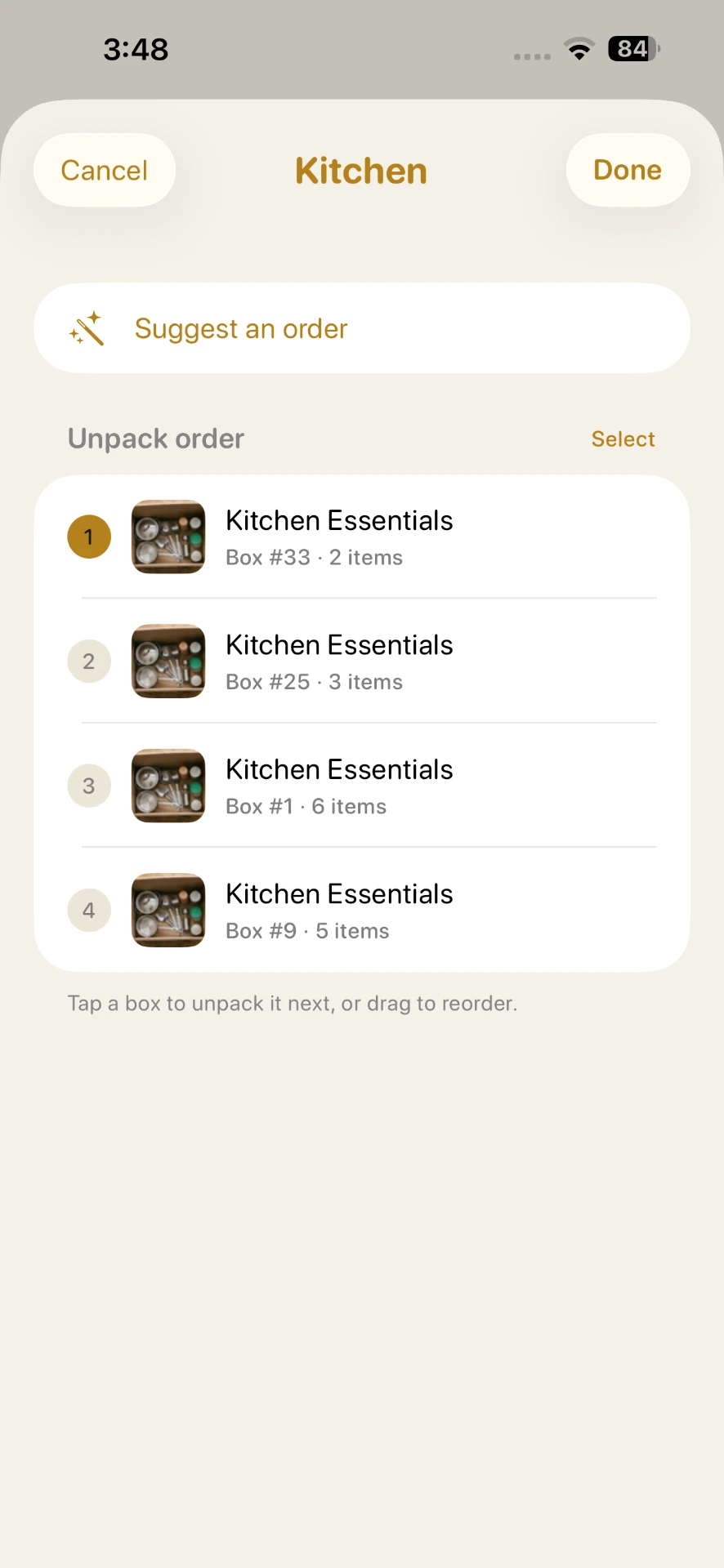
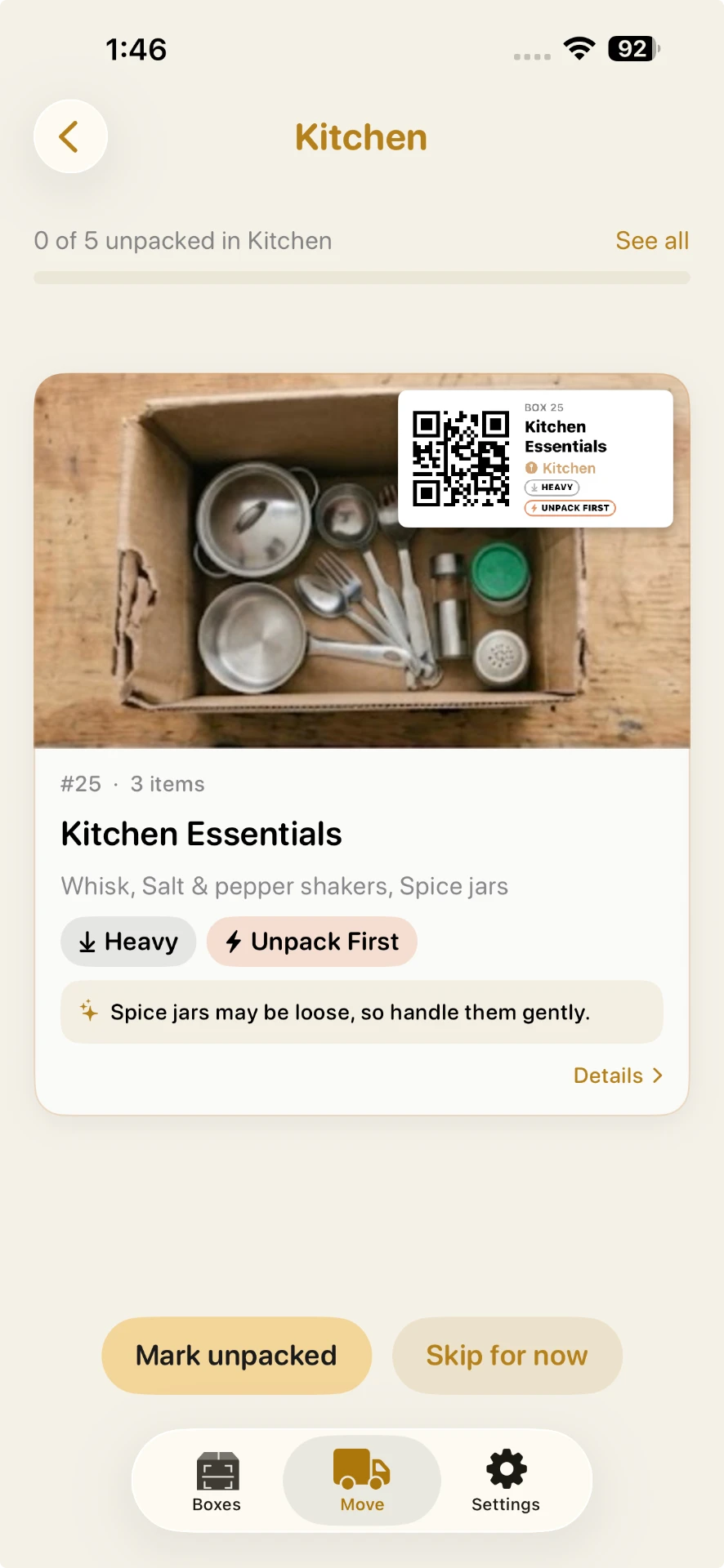
Unpacking
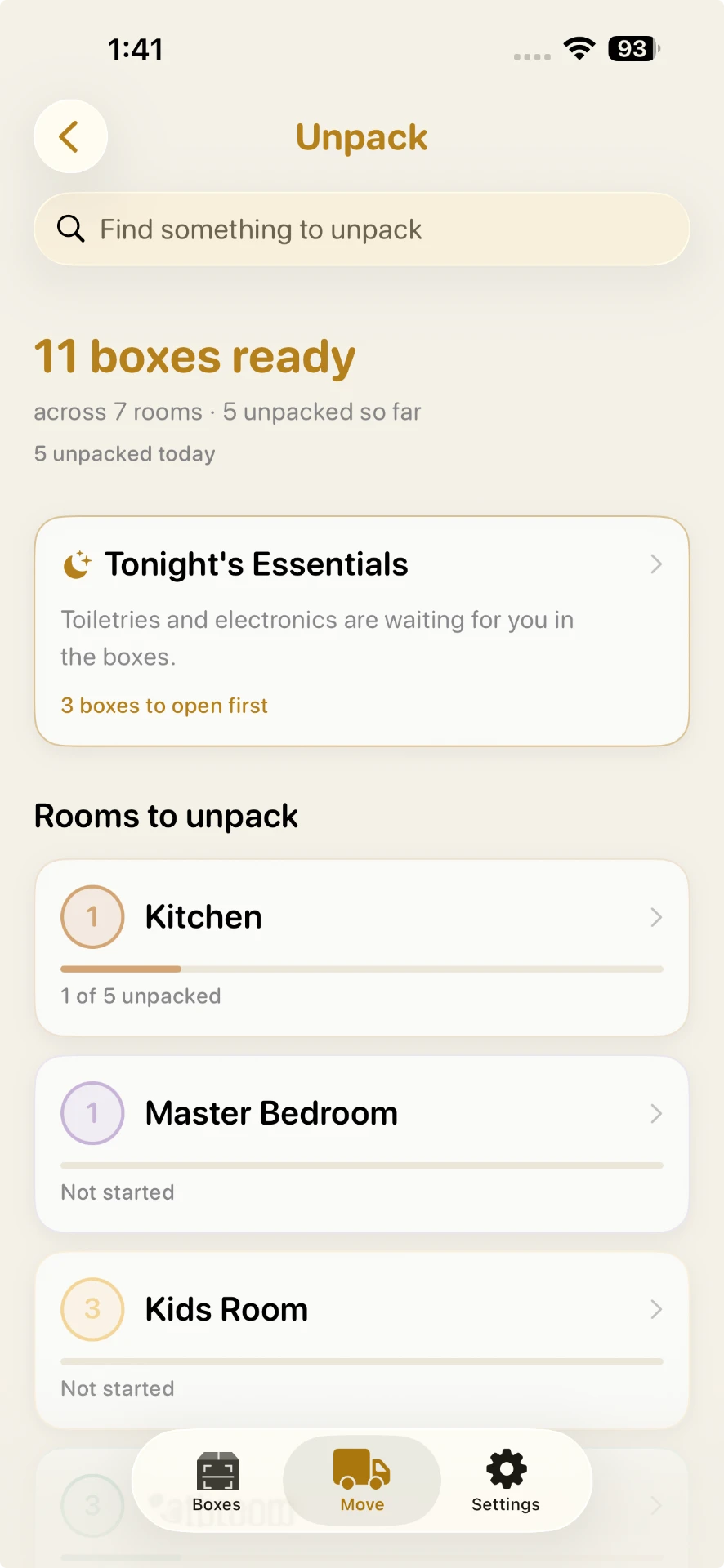
Once the truck's unloaded, BoxSmartly keeps helping — box by box, room by room. Work a guided queue, mark boxes off, and search mid-unpack to jump straight to the box you need. Pro adds a suggested order and tonight's essentials list, at no extra cost.
Private by default
No account required
Core features work offline
Inventory stays on your device
No ads, no ad tracking
No IDFA and no App Tracking Transparency prompt. Item names, photos, location and search text are never collected.
Pricing
Start free. Upgrade once when you're ready.
| Feature | Free | Pro ($29.99 one-time) |
|---|---|---|
| Boxes | Up to 10 | Unlimited |
| Items per box | Up to 10 | Unlimited |
| Checklist tasks | Up to 15 | Unlimited |
| Box photos | Not included | Included |
| Box Gallery | Not included | Included |
| iCloud backup | Not included | To your own private iCloud |
| Smart features | Not included | Included, no extra cost |
| Data export | Branded PDF | Branded PDF + CSV for spreadsheets |
Free
Enough to try it end-to-end with your first few boxes.
Pro
For the whole move, and every storage box after.

Building a comparison? Machine-readable pricing (pricing.md)
Guides
No app required to read them. Each one is a self-contained answer to one question people ask us all the time.
How-to
QR labels for moving boxes
Three free ways to put QR labels on your boxes — Avery sheets, blank claims, or your own stickers.
See the three methods →
Guide
How to label moving boxes
A practical labeling system that scales past ten boxes — including labeling with no printer at all.
Read the guide →
Guide
How to label moving totes, bins and crates
Label plastic totes, storage bins and rented crates so you can find anything later.
Read the guide →
FAQ
Still curious? Email hello@boxsmartly.com — a real person replies.
Number every box, log what goes in it as you pack, and label it with the room it's going to. A searchable list beats writing the contents on the box — you can find "phone charger" without opening five boxes. BoxSmartly does this on iPhone and iPad: label each box, tote or bin, add items by typing or voice, then scan the label or search to see which box has it.
Yes. Pro is a single $29.99 in-app purchase with no recurring charge for this tier, and existing purchasers keep their original price. There are no ads anywhere in the app. Family Sharing is enabled, so one purchase covers up to six family members, and you can gift it through the App Store.
No account, no sign-up, no password. Download BoxSmartly and start packing immediately. Your boxes, items and lists stay on your iPhone or iPad, and on Pro you can back them up to your own private iCloud account if you want a copy elsewhere.
Yes for the parts you use while packing: creating boxes, adding items, printing or pairing labels, scanning QR codes and searching all work with no connection. iCloud backup is an optional Pro feature that syncs through your own private iCloud whenever you're back online.
Sure — skip printing entirely and write your own code on the box. Every box gets a short code with nothing to print or scan to set up; write it on with a marker and type it back into the app to find that box later. If you'd rather stick with a QR code, you can pair your own stickers by scanning a blank QR code, or scan blank claim labels and assign them to boxes as you pack. All four labeling methods are free.
Yes. In the app every container is a "box," and it doesn't matter what it's made of. Cardboard moving boxes, plastic totes, storage bins, suitcases and rented moving crates all work the same way: give it a label, add what's inside, then scan or search to find it. On curved or textured plastic, the hand-written code or your own stickers can be easier than a paper label.
Yes. Crate rental companies usually ask you to remove labels before returning the crates, so pick a method that comes off cleanly. With the hand-written code, BoxSmartly generates a short code for each box; write it on the crate's label with a marker, then type it back in to find that crate. Choose your labeling method before your first box — it applies to the whole move. Check your rental company's label rules first.
Yes. Removal boxes, packing cartons and moving boxes all work the same way, and the app is in English. The printable QR label sheets are sized for US Avery 5163 and 5160 labels, so outside the US the hand-written code or your own QR stickers may be the easier choice. Core capture, scanning and search work offline.
iPhone and iPad on iOS 17 or later. Android isn't supported yet. Speaking a sentence to add several items, and box summaries, need Apple Intelligence outright: iOS 26 on Apple Intelligence–capable hardware (iPhone 15 Pro or newer, or an M-series iPad), with Apple Intelligence turned on in Settings. Everything else — including the Packing Coach's curated answers — works on any supported iPhone or iPad; only the Coach's generated answers to questions outside its library need Apple Intelligence too.
Photo-to-items, packing tips, room suggestions, and the Packing Coach's curated answers all work in Pro on any iPhone or iPad running iOS 17 or later. Adding a box by speaking, one-line box summaries, and the Packing Coach's generated answers to questions outside its library need Apple Intelligence on supported devices — all included in Pro at no extra cost.
Yes. Your boxes, items and labels stay exactly as you left them once the move is done, so plenty of people keep BoxSmartly running as a permanent inventory for the garage, the attic, the basement or a rented storage unit — scan a box and you know what's inside.
Nothing is ever deleted or locked away. You keep every box, item and photo you've already created, and you can still scan, search, edit and print labels for them. The free limits only stop you adding beyond 10 boxes, 10 items per box, and 15 checklist tasks.
The smart features never upload anything — suggestions are generated on your device, and an Add-from-Photo picture is never saved. Your optional iCloud backup on Pro goes to your own private iCloud, not to us. With your consent, the app also sends anonymous usage counts, like which screens are opened — never item, box or room names, photos, location, or search text.
Yes, and the basic version is free for everyone: hold the mic and speak one item at a time. With Pro on a device that supports Apple Intelligence, you can speak a whole sentence and it becomes several items, each with its own packing tip. It's the same mic either way — it just does more on a capable device.
Yes. Every tier can export a branded PDF of a box or the whole move for free. Pro adds a CSV export — raw box, item and room rows — for spreadsheets.
Yes, if you turn it on. Settings has an optional Spotlight search toggle — off by default — that lets iOS surface your boxes by name, so you can find one without opening BoxSmartly first.
Yes — a free Home Screen and Lock Screen widget shows how many boxes you've packed, broken out by room, right from your device.
Yes — for free. A guided, room-by-room unpacking queue lets you mark boxes off, skip, and undo as you go, with progress tracked across the whole move and a quick tip on every box. Search finds an item mid-unpack and takes you straight to the right box, even in another room. Pro adds a suggested unpacking order and a ready-made list of tonight's essentials, both included at no extra cost — the suggested order and tips get more personalized on devices with Apple Intelligence.
A Moving Day Manifest to check boxes onto the truck and off again, a Utility Setup Tracker for switching over electric, water, gas, and internet, and a free Keep With Me list for what travels with you. All three are new — the Manifest and Utility Tracker are Pro, Keep With Me is free for everyone.
Moving soon? Grab the free 8-week Moving Checklist & Packing Guide →
Free to start — upgrade once when you're ready.
iPhone & iPad · iOS 17+ · Free to start

A note from the founder
Hi — I built BoxSmartly after one too many moves where “the kitchen box” turned out to hold bath towels. I wanted a moving box organizer that was dead simple: label a box with a QR code, note what’s inside, and actually find anything you packed later — by scanning, not guessing. No account, no ads. If it saves you one frustrated afternoon during your next move, it’s done its job.
— Muhammad Ali Shahid, Founder, BoxSmartly
About
BoxSmartly is a moving box inventory app for iPhone and iPad. It gives every packing box a QR label and keeps a searchable list of what's inside, so you can find anything you packed with a scan or a search.
It's made by Muhammad Ali Shahid, an independent developer, and launched in July 2026. The app is free to start; a one-time $29.99 in-app purchase unlocks Pro. Family Sharing is enabled, so one purchase covers the whole household.
BoxSmartly is not a warehouse or business inventory system, not an insurance valuation tool, and not available on Android. It's a home-move and household-storage app for families.